Guides13 min read
What Is a Bézier Curve? The Maths That Keeps Vector Graphics Sharp
Every logo, letter and icon that stays sharp at any size is built from Bézier curves. What they are, how four points define one, where they came from, and how to turn a blurry image into clean, editable Bézier paths.
Key takeaways
- A Bézier curve is a smooth curve set by a handful of points. A cubic Bézier, the kind used in PDF, PostScript, SVG and Illustrator’s Pen tool, has four: two anchor points where it starts and ends, and two control points, the handles, that pull it into shape.
- A vector file stores those points, not pixels, so the curve is recalculated at whatever size it is shown. That is why a vector logo never blurs, from a business card to a building.
- The curves are named after Pierre Bézier, who used them to design Renault car bodies in the 1960s. Paul de Casteljau had worked out the same curves at Citroën in 1959, but Citroën kept his work confidential.
- In our test, VKTR Studio traced a 240-pixel logo into 18 editable shapes built from 345 cubic Bézier segments; a 960-pixel copy of the same logo needed only 200. Start from the largest image you have.
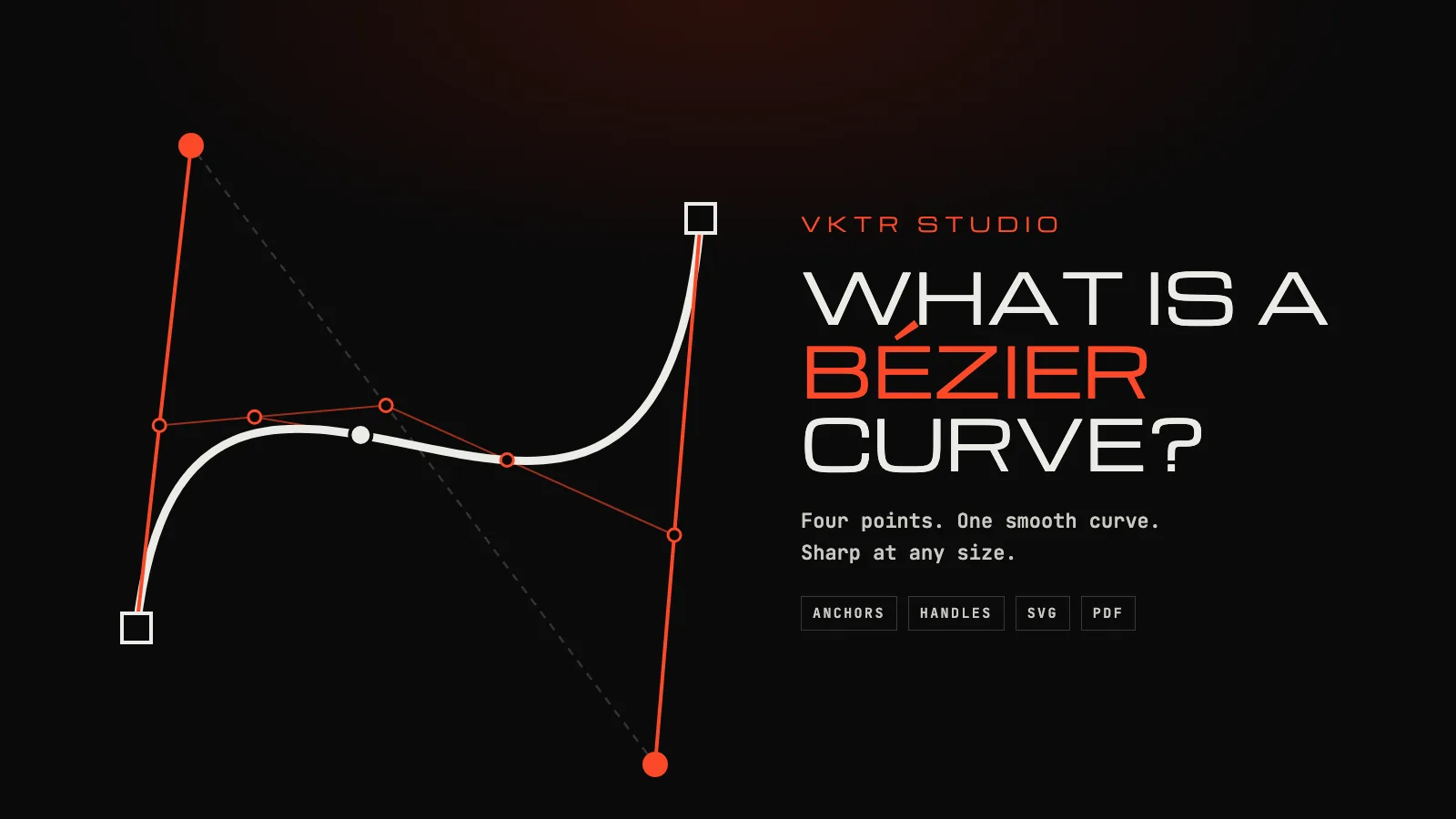
A Bézier curve is a smooth curve defined by a few points. Two of them, the anchor points, are where the curve starts and ends. The others, the control points, sit off the curve and pull it towards them, the way magnets would bend a wire. Move a control point and the curve reshapes itself smoothly. Vector logos, the outline fonts on your screen, most SVG drawings and every curve in a PDF are built from these curves, joined end to end with straight lines.
That is also why vector files never blur. A pixel image stores colours on a fixed grid; a Bézier curve stores a recipe, and the recipe is recalculated at whatever size the curve is shown. If your logo goes soft when you enlarge it, the fix is to rebuild it as Bézier curves, which is what VKTR Studio does from a PNG or JPG. This guide explains the curves first and the conversion second.
The parts of a Bézier curve
- Anchor points. The curve always passes through its two end points. In Illustrator, Figma and Inkscape they are the small squares on a path.
- Control points, or handles. They set the direction and the tension of the curve. The curve leaves each anchor heading straight for its handle, but, as the PDF standard puts it, it does not in general pass through the control points.
- The control polygon. The straight lines joining the points in order. The curve always stays inside the shape you would get by stretching a rubber band around its four points, its convex hull, which renderers use to skip curves that lie off-screen.
A path in a drawing is a chain of these segments. Where two segments meet at an anchor, the handles on either side decide how the join looks. Adobe’s Illustrator documentation describes the two kinds: at a corner point the path changes direction sharply; at a smooth point the curved segments join in a continuous, flowing transition, because the handles on both sides lie on one straight line.
Linear, quadratic and cubic Bézier curves
A Bézier curve’s degree is one less than its number of points:
| Type | Points | What one segment can draw | Where you meet it |
|---|---|---|---|
| Linear | 2 | A straight line | Every straight segment of a vector path |
| Quadratic | 3 (one control point) | An arch that bends one way | TrueType fonts; the Q and T commands in SVG |
| Cubic | 4 (two control points) | Arches, S-bends and loops | PostScript and PDF; the C and S commands in SVG; Illustrator’s Pen tool; CSS animation timing |
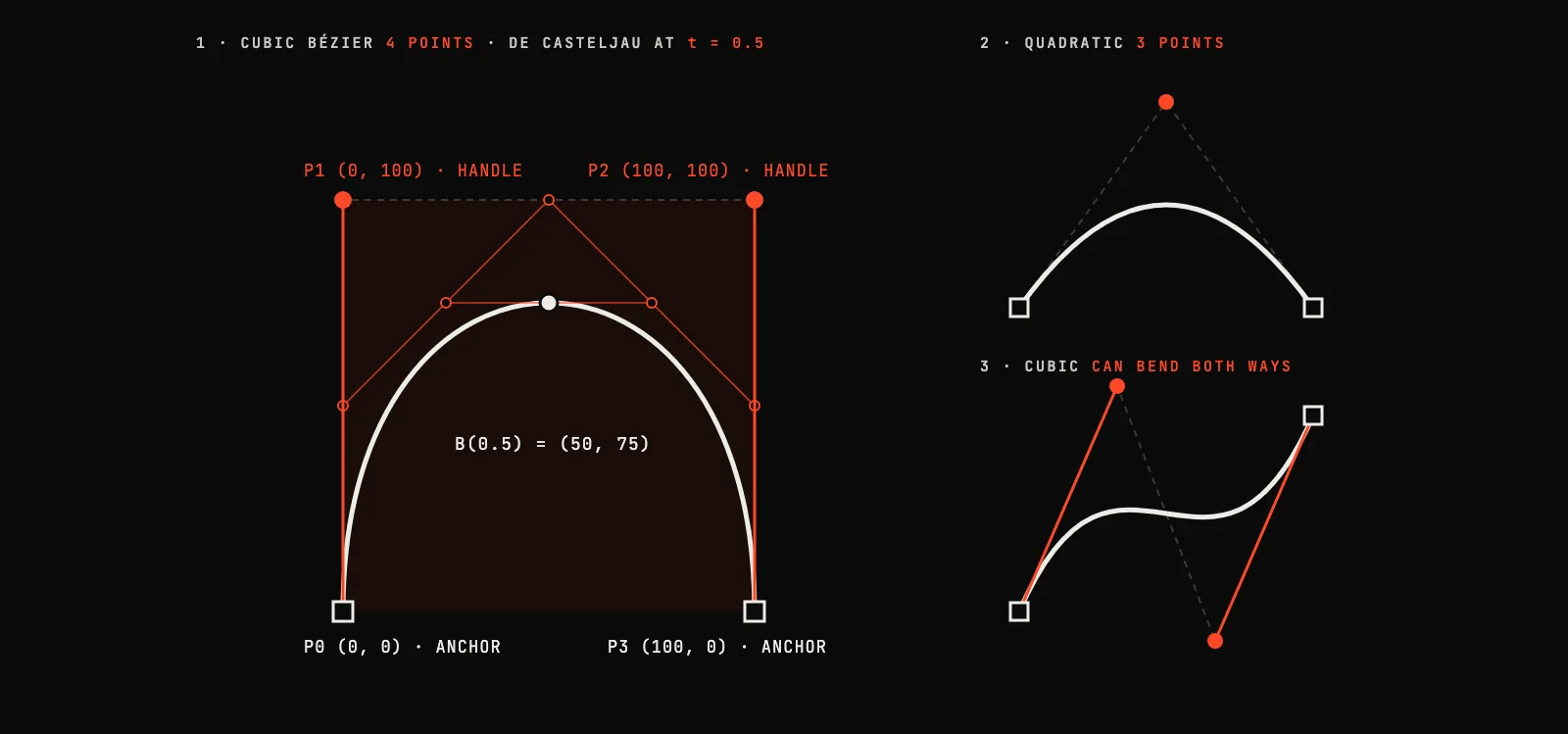
A quadratic curve has a single control point, so a segment can only bend one way, and drawing an S takes two of them. A cubic’s two handles can pull in opposite directions, so one segment can make an S-bend. Illustrator’s Pen tool draws cubic curves, and Adobe’s instructions for it read like the geometry: drag the next point in the opposite direction to the last handle for a C-shaped curve, in the same direction for an S.
Fonts show both choices. Apple’s TrueType reference describes TrueType outlines as quadratic Bézier curves, built from on-curve and off-curve points and joined into a quadratic spline. PDF goes the other way: the PDF standard, ISO 32000, says curved path segments shall be specified as cubic Bézier curves. SVG has commands for both.
The Bézier curve formula
A cubic Bézier is a weighted blend of its four points. As a value t runs from 0 at the start to 1 at the end, the point on the curve is:
B(t) = (1 − t)³ P0 + 3(1 − t)² t P1 + 3(1 − t) t² P2 + t³ P3
The four weights are the Bernstein polynomials of degree three, which the mathematician Sergei Bernstein used in a proof published in 1912. They are never negative and always add up to 1, which explains the curve’s two most useful habits: it stays inside its control polygon, and moving, scaling or rotating the four points moves the whole curve in exactly the same way. The second habit is what lets a vector logo be enlarged without losing anything: enlarge the points, and the curve follows exactly.
A worked example, the one in the figure above: with P0 = (0, 0), P1 = (0, 100), P2 = (100, 100) and P3 = (100, 0), the halfway point (t = 0.5) is 0.125 P0 + 0.375 P1 + 0.375 P2 + 0.125 P3 = (50, 75). The curve rises to 75, not to the handles’ 100: it is pulled towards the control points but does not reach them.
The quadratic version has three terms: B(t) = (1 − t)² P0 + 2(1 − t) t P1 + t² P2.
The de Casteljau algorithm: drawing a curve with straight lines
Software rarely evaluates the formula directly. Paul de Casteljau’s method needs only straight lines: take the point a fraction t of the way along each side of the control polygon, join those points, and repeat until one point is left. That point is on the curve. For the example at t = 0.5:
- Halfway along each side of the control polygon: (0, 50), (50, 100) and (100, 50).
- Halfway between those: (25, 75) and (75, 75).
- Halfway between those two: (50, 75), the point on the curve, matching the formula.
The same construction splits the curve into two smaller Bézier curves at that point. That is the quick subdivision the PDF standard credits for fast rendering: software can keep splitting until each piece is flat enough to draw as a short straight line at the current zoom, which is why the edge looks smooth however far you zoom in.
Where Bézier curves came from
The curves grew out of car design. Paul de Casteljau joined Citroën in 1958 and, in 1959, developed the method above to describe car-body shapes numerically. Citroën kept his work confidential, so the curves took the name of Pierre Bézier, an engineer at Renault who publicised the same kind of curve in the 1960s and used it to design the company’s bodywork. De Casteljau told his side of the story himself, in a short memoir published by the journal Computer Aided Geometric Design in 1999, and in a longer autobiography, written in 1997, that the same journal published with an English translation in 2024.
From car bodies the curves moved into type and graphics. PostScript and PDF draw curves as cubic Béziers, TrueType fonts use quadratic ones, and when the W3C built SVG it included both as path commands. Today the same few points describe a logo in Illustrator, a letter in a font and a curve on a web page.
Bézier curves in Illustrator, Figma and Inkscape
The Pen tool is a Bézier editor. In Illustrator, clicking without dragging places an anchor for a straight segment; dragging pulls out a pair of handles and makes the segment a curve. Holding Command (macOS) or Ctrl (Windows) while dragging lets the two handles of a smooth point have different lengths.
Clean paths use as few anchor points as possible. A rule from type design helps: put anchors at the extremes of each curve, its topmost, bottommost, leftmost and rightmost points. The Glyphs tutorial on drawing good paths says extremes allow simpler paths with fewer points and smaller files. At an extreme the curve runs exactly horizontal or vertical, so its handles do too, which makes them easy to adjust.
- Use corner points only where the shape really turns sharply. Everywhere else, a smooth point keeps the curve flowing.
- Remove anchors you do not need. Every extra point is another place for a bump.
- Check curves at a high zoom. A kink that is invisible on screen can show on a large print.
Bézier curves vs splines
A spline is any curve built from pieces joined smoothly, so a path of Bézier segments meeting at smooth anchors is itself a spline. B-splines and NURBS, common in CAD and 3D software, are related families: each control point influences only part of the curve, and in NURBS a point can carry a weight. For logos, fonts and print artwork, the chain of Bézier segments is the standard.
Cubic Bézier in CSS: the same curve, used for timing
Web animation uses cubic Béziers to describe speed rather than shape. The CSS cubic-bezier() function fixes the end points at (0, 0) and (1, 1) and lets you place the two control points, whose x values must stay between 0 and 1. The W3C easing specification defines the familiar keywords this way: ease is cubic-bezier(0.25, 0.1, 0.25, 1), ease-in is cubic-bezier(0.42, 0, 1, 1), ease-out is cubic-bezier(0, 0, 0.58, 1) and ease-in-out is cubic-bezier(0.42, 0, 0.58, 1).
Why Bézier curves never blur
A PNG or JPG records a colour for every square of a fixed grid. Enlarge it and the software has to invent the pixels in between, so edges go soft or blocky. A Bézier curve records only its points. Enlarge it and the curve is calculated again at the new size, so the edge is redrawn, not stretched.
That is why one vector logo can be printed on a business card and on a building from the same file, and why print shops ask for vectors. It is also why the cure for a blurry logo is not more pixels but a rebuild as curves. We tested it on a made-up logo from VKTR’s test set, saved as a 240 × 113-pixel PNG, the size of a logo copied from a website:
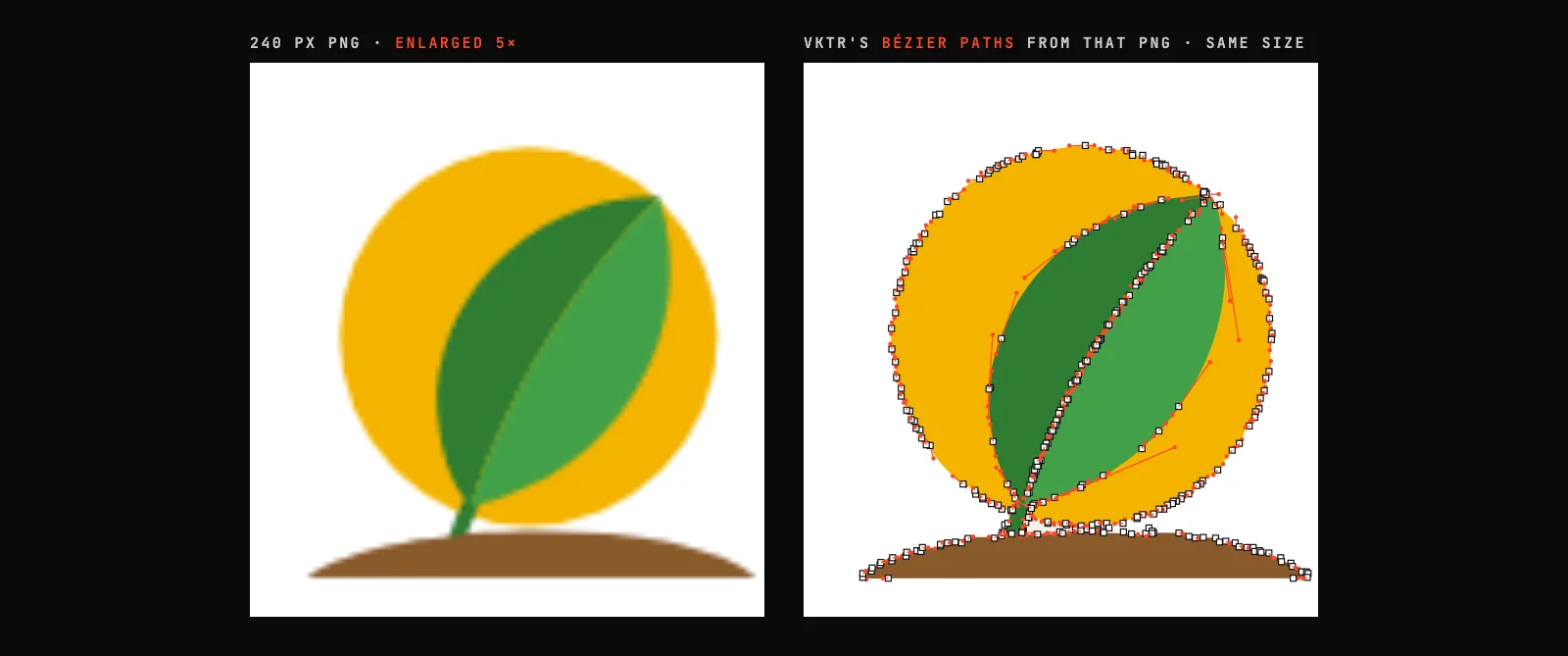
Tracing cannot add detail the pixels never had, so the source matters. We traced the same logo from three sizes with VKTR’s tracing engine and its automatic settings. We ran it on our own computer, without the learned clean-up and enlargement the Studio adds in browsers that support them, so in the Studio a small image can come out smoother:
| Source image | Shapes | Cubic Bézier segments | Straight segments | Anchor points | SVG size |
|---|---|---|---|---|---|
| 240 × 113 px | 18 | 345 | 149 | 500 | 17.6 KB |
| 480 × 227 px | 20 | 284 | 249 | 545 | 16.6 KB |
| 960 × 453 px | 18 | 200 | 125 | 331 | 11.5 KB |
The largest source gave the simplest result: 200 cubic segments and 331 anchor points, against 345 and 500 from the 240-pixel copy, in a file a third smaller. The designer’s original, for comparison, draws the logo’s symbol with just five cubic and two quadratic Bézier segments plus a circle, because a person placed every point deliberately. A trace gives you editable curves in seconds; a designer can always simplify them further.
How to turn a blurry image into editable Bézier paths
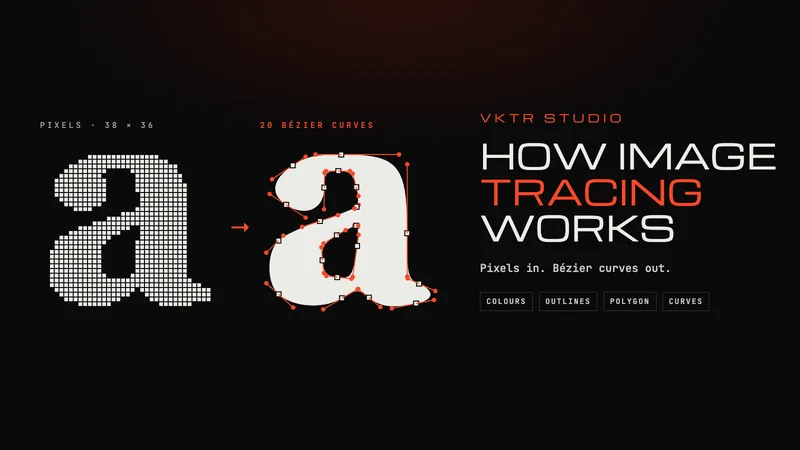
Tracing is how a pixel image becomes Bézier curves: the software finds each area of colour, follows its edge and fits curves to it. How image tracing works explains the steps in detail. With VKTR Studio it takes a minute in the browser:
1. Open the largest copy of your image
Go to VKTR Studio and drop, choose or paste a PNG, JPG, WebP or HEIC image, up to 5 MB on the free plan. Use the largest, sharpest copy you have: a bigger source gives cleaner curves with fewer points. Converting, previewing and editing need no account, and the image is processed in your browser, not uploaded.
2. Let VKTR fit the curves
VKTR picks the flat colours, removes a plain white background and traces every shape into smooth cubic Bézier paths, then shows the original and the vector side by side.
3. Check the layers and the letters
The Layers panel splits the artwork into the background, the objects and the text, with the text in lines and words. Zoom in and compare letters, corners and thin lines with the original.
4. Edit and tidy the paths
Select any part to move, resize or recolour it. If a curve has more anchor points than it needs, the Reduce nodes tool refits the outlines within a tolerance you choose, from 0.25 to 6 pixels, and keeps corners and small shapes.
5. Download at the size you need
Set the width in millimetres, from 1 to 5,000, and download SVG, PDF, EPS or DXF. Each download uses one credit, and a free account gets 2 a day.
If the logo is already too small or damaged to trace well, how to fix a pixelated logo for printing covers when to look for the original, when to upscale, and when a redraw is worth it.
Bézier curve questions
- What is a Bézier curve?
- A smooth curve defined by a few points: two anchor points where it starts and ends, and one or two control points, or handles, that pull it into shape. Vector logos, outline fonts, SVG and PDF are built from Bézier curves and straight lines.
- Why is it called a Bézier curve?
- After Pierre Bézier, a Renault engineer who publicised the curves in the 1960s and used them to design car bodies. Paul de Casteljau had developed the same curves at Citroën in 1959, but Citroën kept his work confidential.
- What is the difference between quadratic and cubic Bézier curves?
- A quadratic Bézier has three points, with one control point, so a single segment bends only one way. A cubic has four points, with two control points, so one segment can make an S-bend. TrueType fonts use quadratics; PDF, PostScript and Illustrator’s Pen tool use cubics; SVG supports both.
- What is the Bézier curve formula?
- For a cubic Bézier with points P0 to P3 and t running from 0 to 1: B(t) = (1 − t)³ P0 + 3(1 − t)² t P1 + 3(1 − t) t² P2 + t³ P3. The weights are the Bernstein polynomials of degree three, and they always add up to 1.
- What are Bézier handles?
- The control points of a Bézier curve, shown in design software as dots on lines coming out of each anchor point. A handle’s direction sets which way the curve leaves the anchor, and its length sets how strongly the curve is pulled that way.
- What is the difference between Bézier and spline curves?
- A spline is a curve made of pieces joined smoothly, so a chain of Bézier segments is a kind of spline. B-splines and NURBS, used in CAD and 3D software, are related families in which each control point affects only part of the curve.
- How do I draw a Bézier curve?
- With a Pen tool. In Illustrator, click to place an anchor for a straight segment, or drag to pull out handles and make a curve. Drag the next point opposite to the last handle for a C-shaped curve, or the same way for an S.
- Are SVG paths Bézier curves?
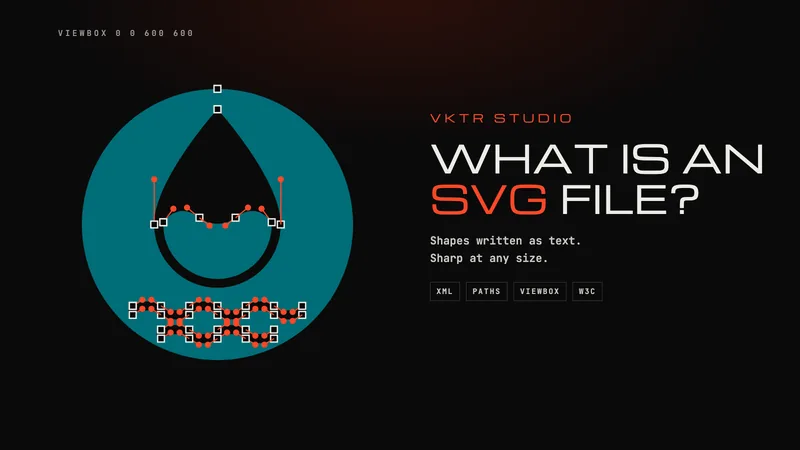
- Mostly. An SVG path is a list of commands: C and S draw cubic Bézier curves, Q and T draw quadratic ones, L, H and V draw straight lines, and A draws an elliptical arc.
- How do I make a logo high resolution without blur?
- Rebuild it as vector paths. A vector logo is made of Bézier curves, so it has no fixed resolution and is redrawn sharp at any size. If you only have a PNG or JPG, trace the largest copy into Bézier paths with a tool such as VKTR Studio, check the letters against the original, and download an SVG or PDF.
- How do I resize a logo without losing quality?
- Resize the vector version. Scaling Bézier paths recalculates every edge at the new size, so nothing is lost, while scaling a PNG or JPG only stretches or estimates pixels. If you have no vector version, trace the largest copy you can find first, then resize the result.
References
- ISO 32000-1:2008 (PDF 1.7), 8.5.2.2 Cubic Bézier Curves (Adobe-hosted copy)
- W3C: SVG 1.1 (Second Edition), Paths
- W3C: CSS Easing Functions Level 1
- Apple: TrueType Reference Manual, Digitizing Letterform Designs
- Adobe: Paths overview (Illustrator)
- Adobe: Draw curves with the Pen tool (Illustrator)
- Adobe: Draw line segments with the Pen tool (Illustrator)
- Glyphs: Drawing good paths
- Paul de Faget de Casteljau: De Casteljau’s autobiography, My time at Citroën, Computer Aided Geometric Design 16(7), 1999
- Andreas Müller: Paul de Casteljau, The story of my adventure, Computer Aided Geometric Design 110, 2024
- Wikipedia: Bernstein polynomial