
Stop tracing.Just VKTR it.
Image to vector converter: Turn Images into Editable Vector Files
VKTR traces a flat image into vector artwork made of real paths, so it stays sharp at any size and every shape can be edited.
- Drop in a PNG, JPG, WebP or HEIC image
- Get vector paths in full colour or black and white
- Recolour, resize and edit every shape
- Download SVG, PDF, EPS or DXF
- Runs in your browser: your image is not uploaded
Made for designers, print shops and makers.
01 / How it works
How to convert an image to vector in three steps
- 01
Drop in an image
Upload a PNG, JPG, WebP or HEIC: up to 5 MB free, 20 MB on a plan. Start from the clearest version you have: an original export beats a screenshot.
- 02
Check and edit the vectors
VKTR traces the image into vector shapes in your browser. Compare the result with your image, then recolour, group, move or delete shapes in the Studio.
- 03
Download your file
Download SVG, PDF, EPS or DXF: each download uses one credit, and every free account gets 2 every day. Check lettering, fine lines and colours before the file goes to print.
02 / Formats
PNG, JPG, WebP and HEIC in, SVG, PDF, EPS and DXF out
- You upload, up to 5 MB free (20 MB on a plan)
- PNGJPGWebPHEIC
- You download
- SVGPDFEPSDXF
The SVG is made of vector paths only, never an embedded copy of your image. Check any file against your printer's requirements before production.
Converters: PNG to SVG · JPG to SVG · Image to DXF · Image to EPS · Logo to vector
03 / Who it helps
For people who need artwork they can work with
Designers
A client sent a JPG logo and no source file. Get vector shapes to refine instead of redrawing the artwork from scratch.
Print shops
Turn the artwork customers bring in into scalable files you can resize, clean up and place in a layout for production.
Anyone who needs usable artwork
Business owners, makers and creators with a logo, an AI image or a screenshot who need an editable file for a website, packaging, a sign, a cutting machine or a laser.
04 / Pricing
Free to convert, 2 free downloads a day
Converting, previewing and editing are free with no account. Downloading needs a free account, and every free account gets 2 downloads a day.
Need more? Pro is $10/month for unlimited downloads. Prices include VAT where it applies.
Free
$0
2 free downloads a day
Pro
$10/month
Unlimited downloads
05 / Insights
Image to vector guides and stories
Guides7 min read
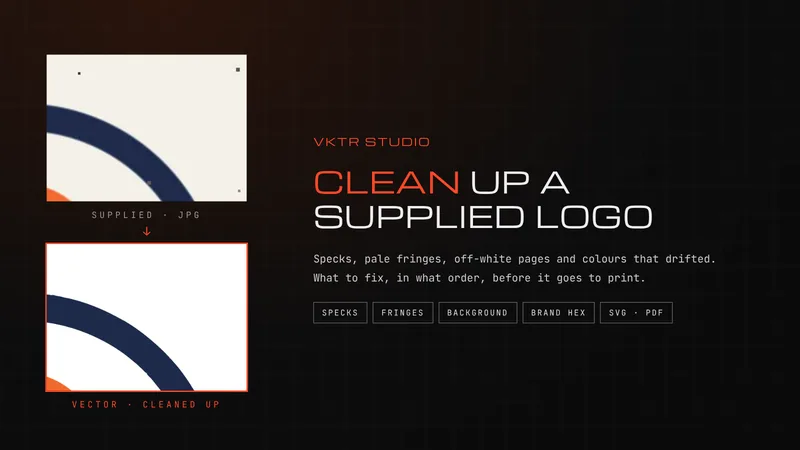
How to Clean Up a Logo: Specks, Fringes, Backgrounds and Colours
Clean up a logo by fixing it in order: get the best copy, trace it, clear specks, remove the background, then set exact colours. A tested guide.
Read article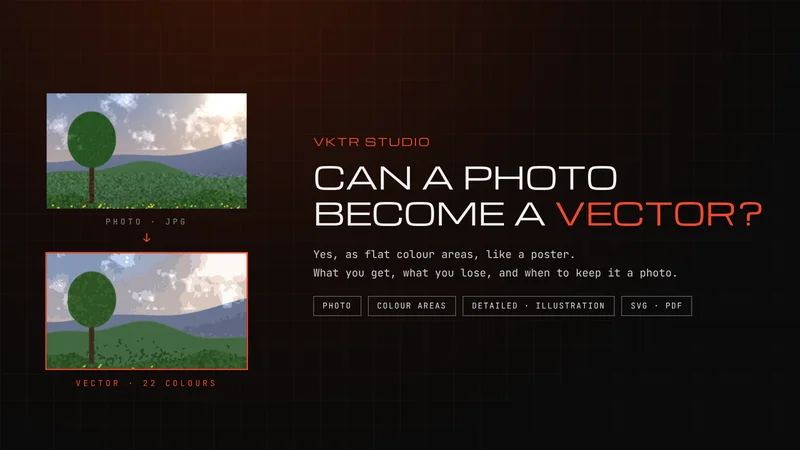
Guides7 min read
Can You Convert a Photo to a Vector? What You Get and What You Lose
Yes, you can convert a photo to a vector, but it becomes flat areas of colour, like a poster. What a trace keeps, what it loses, and when to keep the photo.
Read article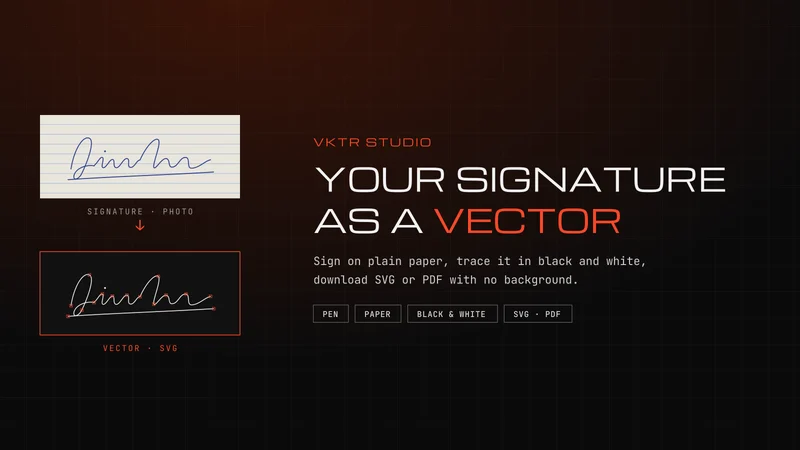
Guides7 min read
Vector Signature: How to Turn Your Signature into an SVG
Make a vector signature: sign on plain paper with a dark pen, scan or photograph it, trace it in black and white, then download SVG or PDF with no background.
Read article06 / Questions
Image to vector: questions and answers
What is VKTR Studio?
VKTR Studio is an online image-to-vector converter at vktrstudio.com. It turns PNG, JPG, WebP and HEIC images into editable vector artwork made of paths, which you can download as SVG, PDF, EPS and DXF.
Can I convert a JPG or PNG to a vector?
Yes. Open the image in VKTR Studio and it is traced into vector paths you can resize without blur, edit and download as SVG, PDF, EPS and DXF. It is a traced version of the image, not the original design file.
Does VKTR convert in colour, with a transparent background?
Yes. Auto picks between 2 and 32 flat colours, or you can set the number or choose black and white. The SVG has no background shape, and a white or off-white page behind the artwork is removed automatically.
Which images work best?
Logos, icons, line art and flat-colour illustrations with clear edges convert best. Use the largest, sharpest original you have: screenshots, blur and heavy compression add noise, and photographs become stylised artwork rather than exact copies.
Does VKTR create real vector paths?
Yes. Every shape in the result is a vector path, and the SVG VKTR exports never embeds a copy of your original image. How closely the paths follow the original depends on the source image, so compare the result before you use it.
Can I edit the colours and shapes?
Yes. In the Studio you can select shapes, recolour them, group or ungroup them, move them and delete them, with undo. VKTR groups the artwork by position and colour; it does not recognise what the objects are. The downloaded file also opens in vector editors such as Adobe Illustrator.
Is traced lettering editable as typed text?
Not automatically: traced lettering is made of shapes. For clear lettering, the Studio's editable-text tool can recognise English or Arabic words and replace the outlines with live text when one of the available fonts matches them closely. It does not identify the original font, and editable text downloads as SVG only.
Which should I download: SVG, PDF, EPS or DXF?
SVG for websites, design apps and cutting machines; PDF for most printers, and for Canva, where the parts of a logo came in as separate elements in our test while an SVG came in as one graphic; EPS when a print or sign workflow asks for it; DXF for laser cutting, CNC and CAD, as closed outlines in millimetres. All four come from the same result, except that editable text downloads as SVG only.
Does conversion happen in my browser?
Yes. The conversion runs in your browser, on your own device, and your image is not uploaded.
Is the output automatically ready for printing?
No. VKTR gives you editable vector artwork, not a guaranteed print file. Check lettering, fine lines, colours and size, and confirm the format and colour settings your printer needs; many ask for a PDF made to their specification.
Do I need an account?
Not to convert, preview or edit. Downloading needs a free account, which gives you 2 downloads a day with no credit card. For unlimited downloads, Pro is $10/month.
Stop tracing.Just VKTR it.