Guides8 min read
How to Vectorize Text: Turn Type and Lettering Into Vector Outlines
Printers, cutters and embroidery software want letters as shapes, not as live text in a font they may not have. How to convert type to outlines in Illustrator, Inkscape and Figma, how to vectorize lettering from an image, and what we found when we traced 10 text-heavy designs.
Key takeaways
- To vectorize text, turn the letters into vector outlines. For live type, use Type > Create Outlines in Illustrator, Ctrl+Shift+C (Object to Path) in Inkscape, or Flatten or Outline stroke in Figma. For text that only exists in a picture, trace it.
- Outlined text no longer needs the font, so it prints, cuts and stitches as designed on any computer; but it can no longer be edited as text, so keep a copy with live type.
- We traced 10 text-heavy designs, from posters to a price list, with VKTR Studio: a median similarity score of 97 out of 100, a median edge match of 99.1%, and 90 of 101 parts as separate shapes.
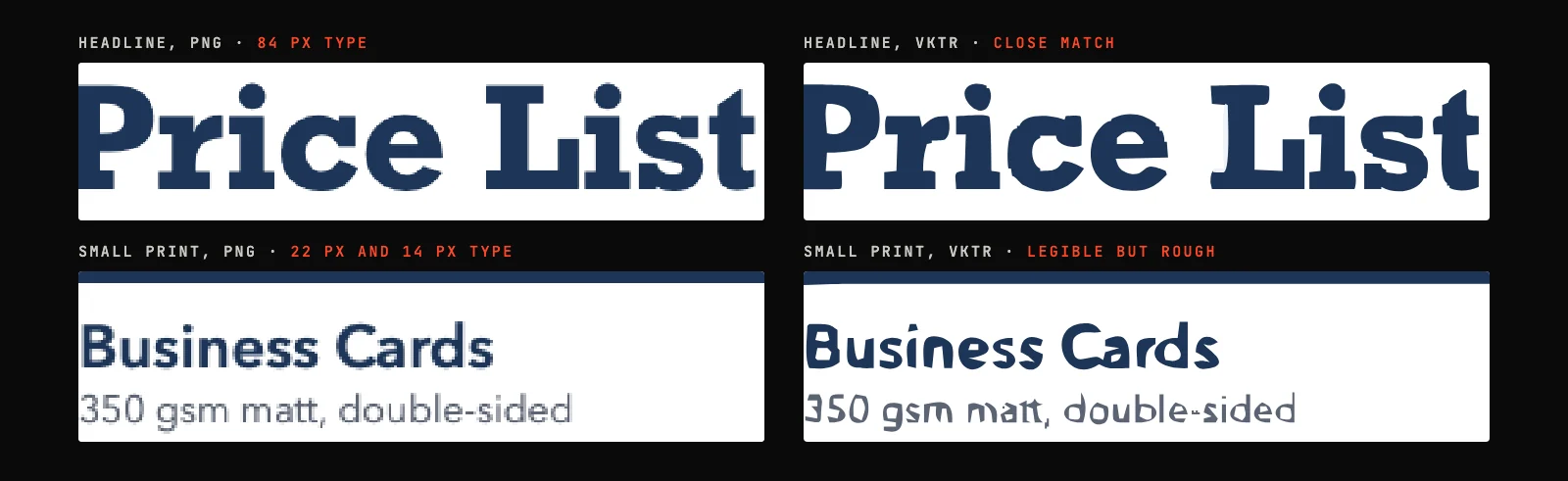
- Size decides quality: lettering set at 84 pixels traced into close outlines, while small print set at 14 pixels came out legible but rough. For small text, trace the largest copy you can find, or re-type it in the font.
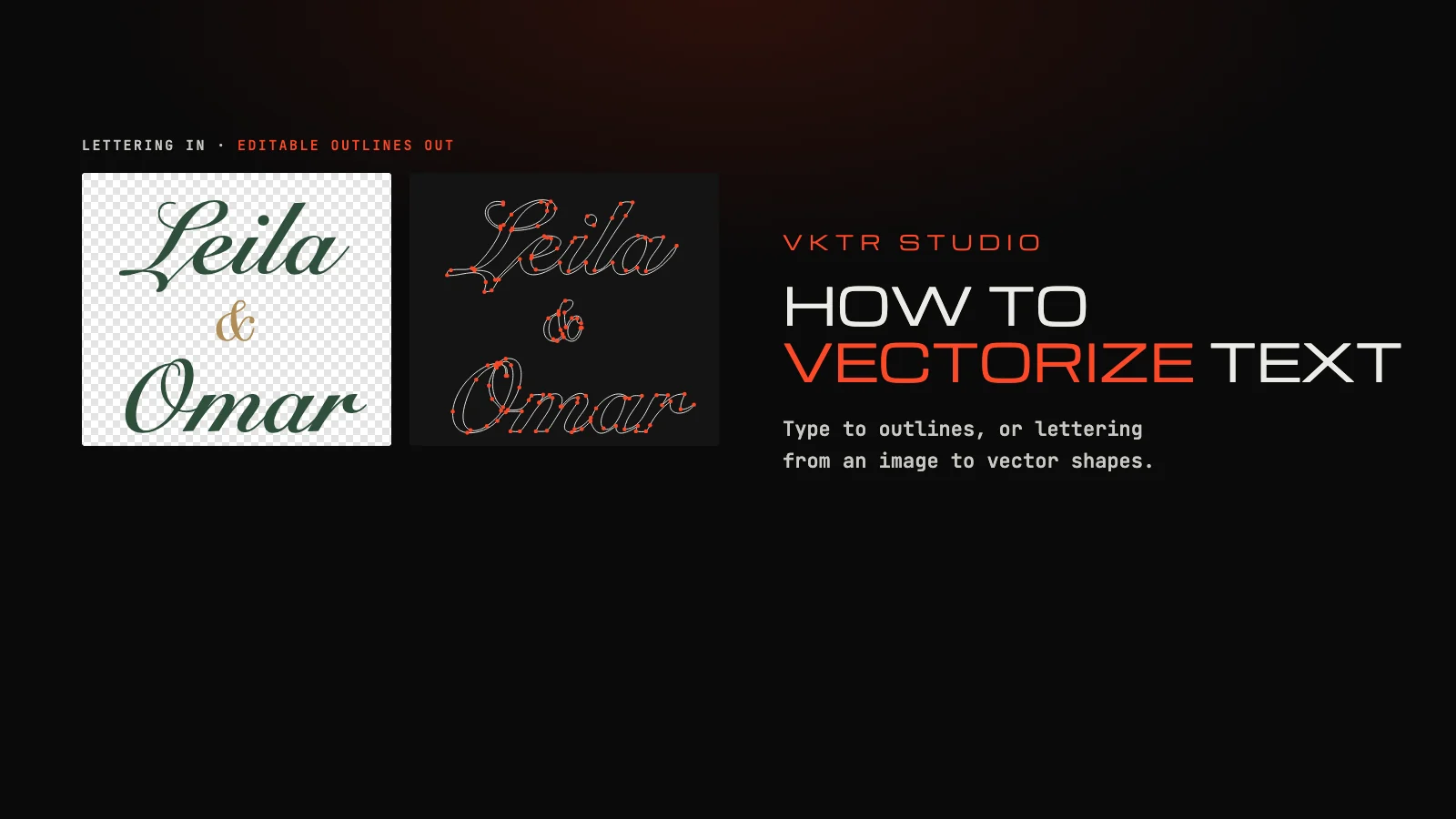
To vectorize text, turn the letters into vector outlines: shapes that no longer depend on a font. If the text is live type in a design app, convert it: Type > Create Outlines in Adobe Illustrator, Object to Path in Inkscape, Flatten or Outline stroke in Figma. If the text only exists in a picture, such as a scanned flyer or a logo saved as PNG, trace it: VKTR Studio turns the lettering into vector shapes in your browser, grouped into lines and words.
In machine learning, “text vectorization” means turning words into numbers for a model. This guide is about the design meaning: letters as vector shapes, for printing, cutting, engraving and embroidery.
Why vectorize text
- The font travels with the file. Live text needs the font on every computer that opens it; outlines do not. VKTR’s own editable text, for example, needs the chosen fonts on the receiving computer.
- Cutters and machines need shapes. Cricut Design Space cannot upload an SVG with editable text: letters must be converted to shapes first. Laser and embroidery software work from shapes too.
- Logos and wordmarks. Outlines can be reshaped letter by letter, which is how many wordmarks are made. Figma lists creating logos and preparing assets for printing among the reasons to convert text.
The trade-off: outlines are no longer text. You cannot fix a typo by typing, and Figma calls the conversion destructive. Keep a copy of the file with live type.
How to convert live text to outlines
- Adobe Illustrator. Select the type object and choose Type > Create Outlines. The letters become editable paths; ungroup them to change single letters.
- Inkscape. Select the text and press Ctrl+Shift+C, which converts the selected object to a path. Inkscape’s Trace Bitmap (Shift+Alt+B) is the tool for text that is only in an image.
- Figma. Right-click the text layer and choose Flatten (Option+Shift+F on a Mac, Alt+Shift+F on Windows), which merges the selection into one vector layer, or Outline stroke (Command+Option+O, or Control+Alt+O), which turns each letter into its own vector layer.
How to vectorize text from an image
When there is no live text, only a PNG, a JPG or a screenshot, the letters have to be traced: the software finds each letter’s edge and fits curves to it, keeping the holes in letters such as O, A and B. How image tracing works explains the steps.
1. Open the image with the lettering
Go to VKTR Studio and drop, choose or paste the image, up to 5 MB on the free plan. Use the largest copy you have: the more pixels each letter has, the closer the outlines come to the original. The image is processed in your browser, not uploaded.
2. Check the letters
VKTR traces each letter into a vector shape, keeps the holes in letters such as O and A, and groups the lettering in the Layers panel into lines and then words. Zoom in and compare the smallest text with the original.
3. Make words editable, if you need to
In the Editable text · SVG tool, choose English or Arabic and select Find text. For a recognised word, correct the spelling if needed and select Compare fonts & select outlines: VKTR tries Arial, Georgia, Times New Roman, Courier New and Verdana against the traced letters and offers Replace selected outlines only when a font overlaps them by at least 75%.
4. Download
Download SVG, PDF, EPS or DXF at the width you need, from 1 to 5,000 mm. Editable text exports as SVG only; for PDF, EPS or DXF, use Restore original outlines first. Each download uses one credit; a free account gets 2 a day.
What we measured: 10 text-heavy designs
We ran the 10 text designs in VKTR’s test set through its tracing engine with the automatic settings: an event poster, a menu board, a price list, a quote card, an editorial opener, a sale banner, a workshop flyer, a wedding invitation, and a bilingual English and Arabic sign and poster. Each was saved as a PNG 800 to 1,280 pixels wide, traced in Node.js on an Apple M1 computer, and compared with its original drawing.
| Check | Result |
|---|---|
| Similarity score (out of 100) | Median 97.0; 91.5 to 98.7 |
| Edge match with the original (F1 score) | Median 99.1% |
| Parts of the design as separate shapes | 90 of 101 (89%) |
| Lines of lettering grouped as text | 5 to 39 per design |
| Pixels embedded in the vector file | None |
| Time to trace | Median 3.4 seconds; 0.7 to 6.3 seconds |
- Similarity score is VKTR’s test measure, combining how closely the shapes, edges and colours of the result match the original drawing.
- Edge match compares the edges of the result with the edges of the original drawing; 100% would mean every edge in place.
- Parts as separate shapes counts a part of the original, such as a word, an icon or a panel, when one shape or group in VKTR’s file matches it with at least 80% overlap.
The weakest design was the bilingual sign, at 91.5: thin outlines and small Arabic lettering on a near-white border. Across the set the pattern was the same as in the figure: display lettering traces close to the original, and text only a few pixels tall comes out rough. If small text matters, find a larger copy of the image, or re-type it in the original font.
Can VKTR make traced text editable again?
Partly. The Editable text · SVG tool recognises English or Arabic words in the traced lettering and compares five common fonts, Arial, Georgia, Times New Roman, Courier New and Verdana, with the outlines. If one overlaps them by at least 75%, it can replace the outlines with live text that you can retype; otherwise it advises keeping the outlines. It does not identify the original font, and live text exports only as SVG.
Vectorizing text: questions
- How do I vectorize text?
- Convert the letters to vector outlines. In Illustrator choose Type > Create Outlines, in Inkscape press Ctrl+Shift+C, and in Figma use Flatten or Outline stroke. For text that is only in an image, trace it with a tool such as VKTR Studio.
- What does it mean to vectorize text?
- In design, it means turning letters into vector shapes, outlines that no longer depend on a font and stay sharp at any size. In machine learning, text vectorization means something else: turning words into numbers.
- How do I convert text to outlines in Illustrator?
- Select the type object with the Selection tool and choose Type > Create Outlines. The text becomes editable paths; ungroup them to adjust single letters.
- How do I convert text to a path in Inkscape?
- Select the text and press Ctrl+Shift+C, which converts the selected object to a path. For text that is only in a bitmap image, use Trace Bitmap, Shift+Alt+B.
- How do I turn text into a vector in Figma?
- Right-click the text layer and choose Flatten (Option+Shift+F, or Alt+Shift+F on Windows) to merge it into one vector layer, or Outline stroke (Command+Option+O, or Control+Alt+O) to make each letter its own vector layer.
- Can I vectorize text from an image?
- Yes, by tracing it. VKTR Studio traces lettering from a PNG or JPG into vector shapes, keeps the holes in letters, and groups them into lines and words. Large lettering traces closely; very small text comes out rough.
- Is vectorized text still editable?
- Not as text: outlines are shapes, so you cannot retype them, only reshape them. Keep a copy with live type. VKTR Studio can swap traced words back to live text when one of five common fonts matches the outlines closely.
- Should I convert text to outlines before sending a file to print?
- Usually, yes, unless the printer asks for live text: outlined letters print as designed even if the printer does not have the font. Keep your own editable copy.
- Can VKTR Studio identify the font in an image?
- No. It compares five common fonts, Arial, Georgia, Times New Roman, Courier New and Verdana, with the traced letters, but it does not identify the original font.
- Why does traced small text look rough?
- A letter only a few pixels tall has very few pixels per stroke, so the tracer has little to follow. Trace the largest copy of the image you can find, or re-type small text in the original font.